

For CFOs, controllers and accounts payable
Controls that check every invoice, with proof you can defend.
A continuous three-way match on supplier invoices, without an ERP project. Your team’s time goes to the few invoices that need it.
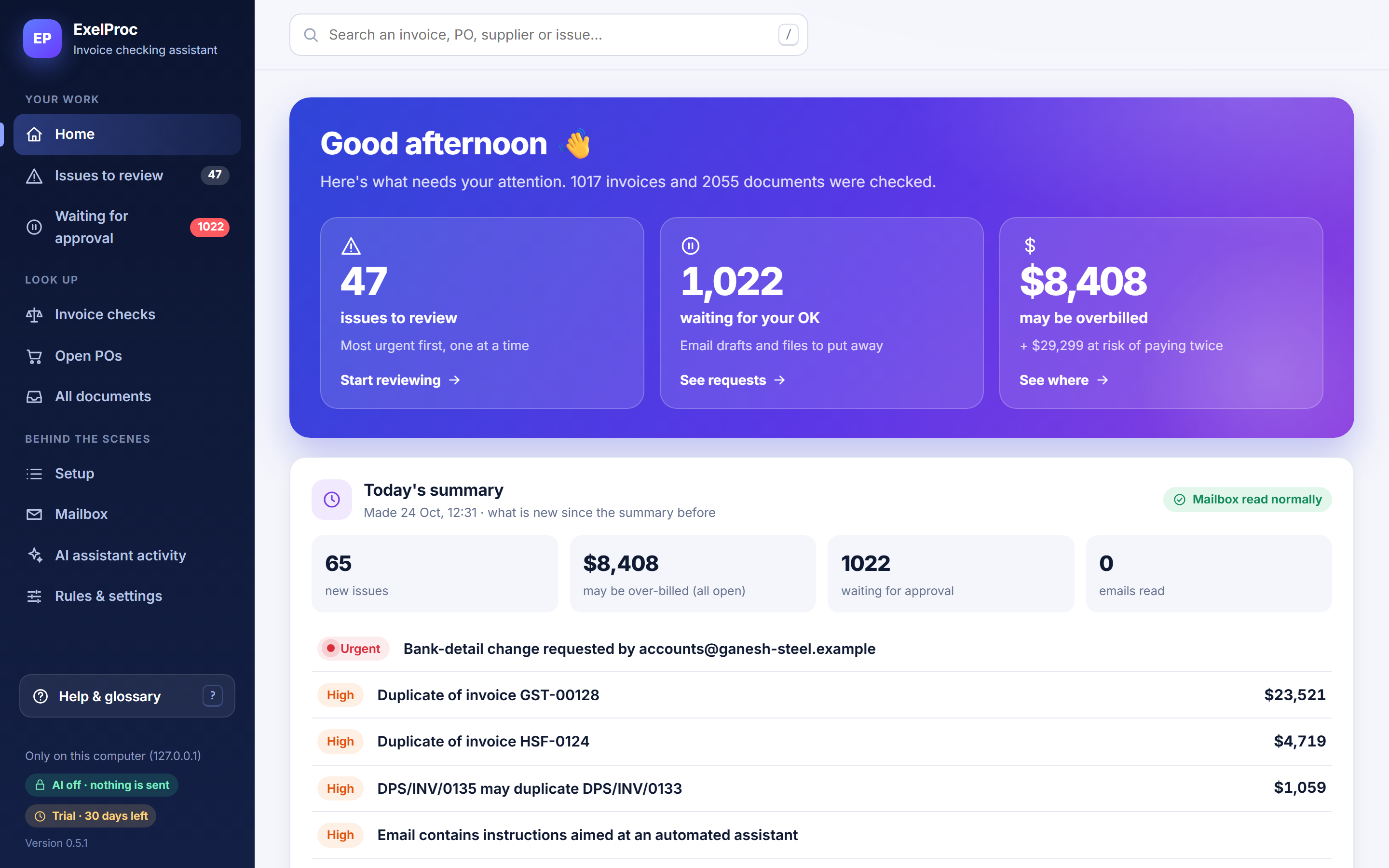
- 01 · Financial exposure
Know what’s at stake before the payment run.
Every exception carries a calculated amount—over-billed, or at risk of being paid twice—with the working shown. The home page totals what’s open.
- 02 · Invoice coverage
Every invoice checked, not a sample.
ExelProc checks each invoice against its order and receipts within minutes of it arriving, and a History check covers 6, 12 or 24 months on day one. Coverage stops depending on how busy AP is this month.
- 03 · Exception prioritisation
Most urgent and most expensive first.
Bank-detail changes and duplicates come before small rounding differences. Each issue is sorted into one of five categories and routed to Purchasing, Stores, AP, Tax, Vendor master or IT security.
- 04 · Auditability
A trail you can hand to an auditor.
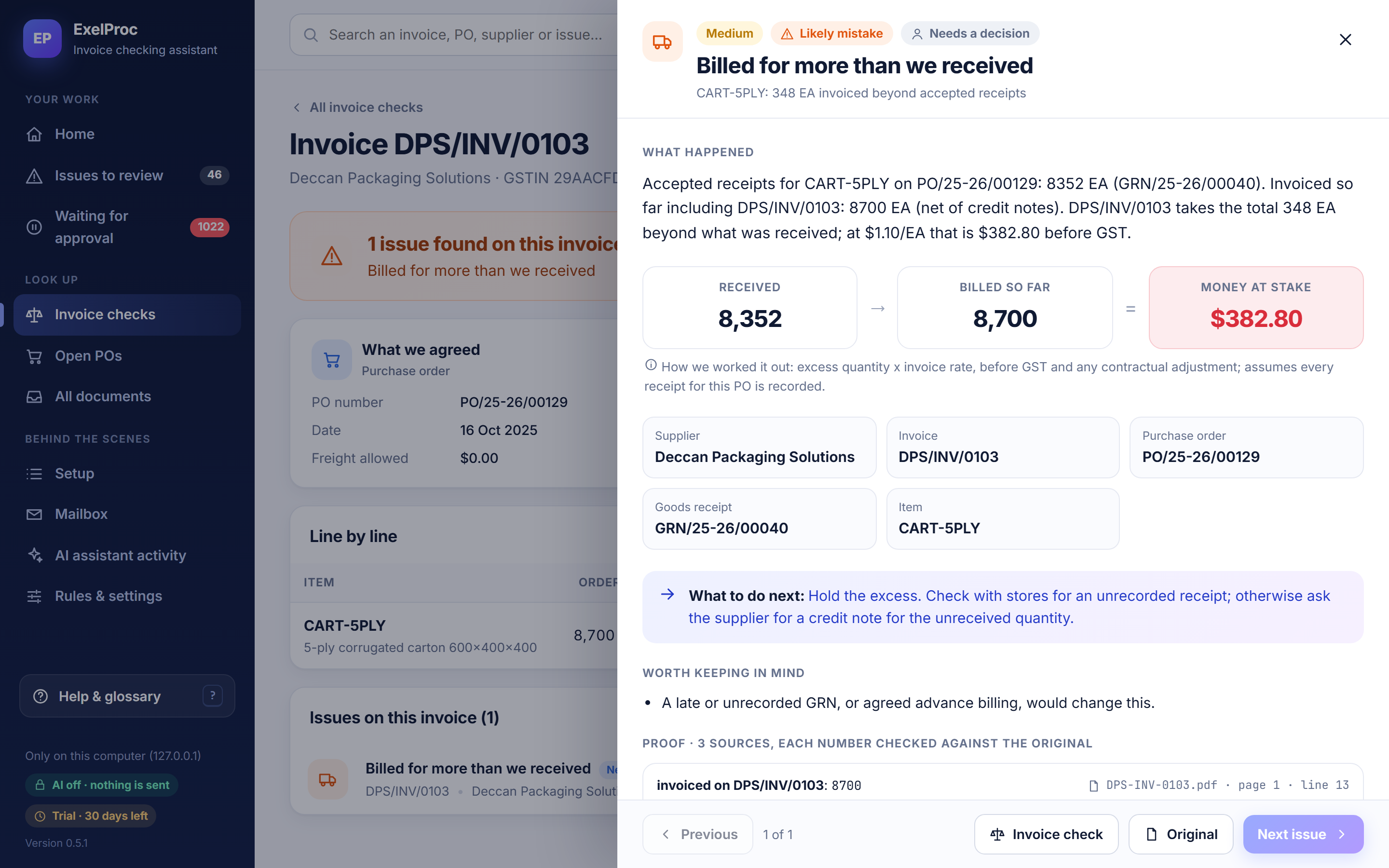
Each finding links to the PDF page and line, spreadsheet cell or email line it came from, and every decision is on record.
Payment holds
Hold the disputed part. Pay the rest on time.
ExelProc proposes holds; AP applies them. A Payment holds list (with CSV export) gives AP one place to check before each payment run, and a hold is released when a credit note or revised invoice settles the case.
- Only the disputed amount, plus its GSTfor price and quantity differences, where your policy allows.
- The whole invoicefor duplicates and tax errors.
- Every payment to the supplierwhile a bank-detail change is unverified.
For accounts payable
Stop comparing documents by hand. Resolve what matters.
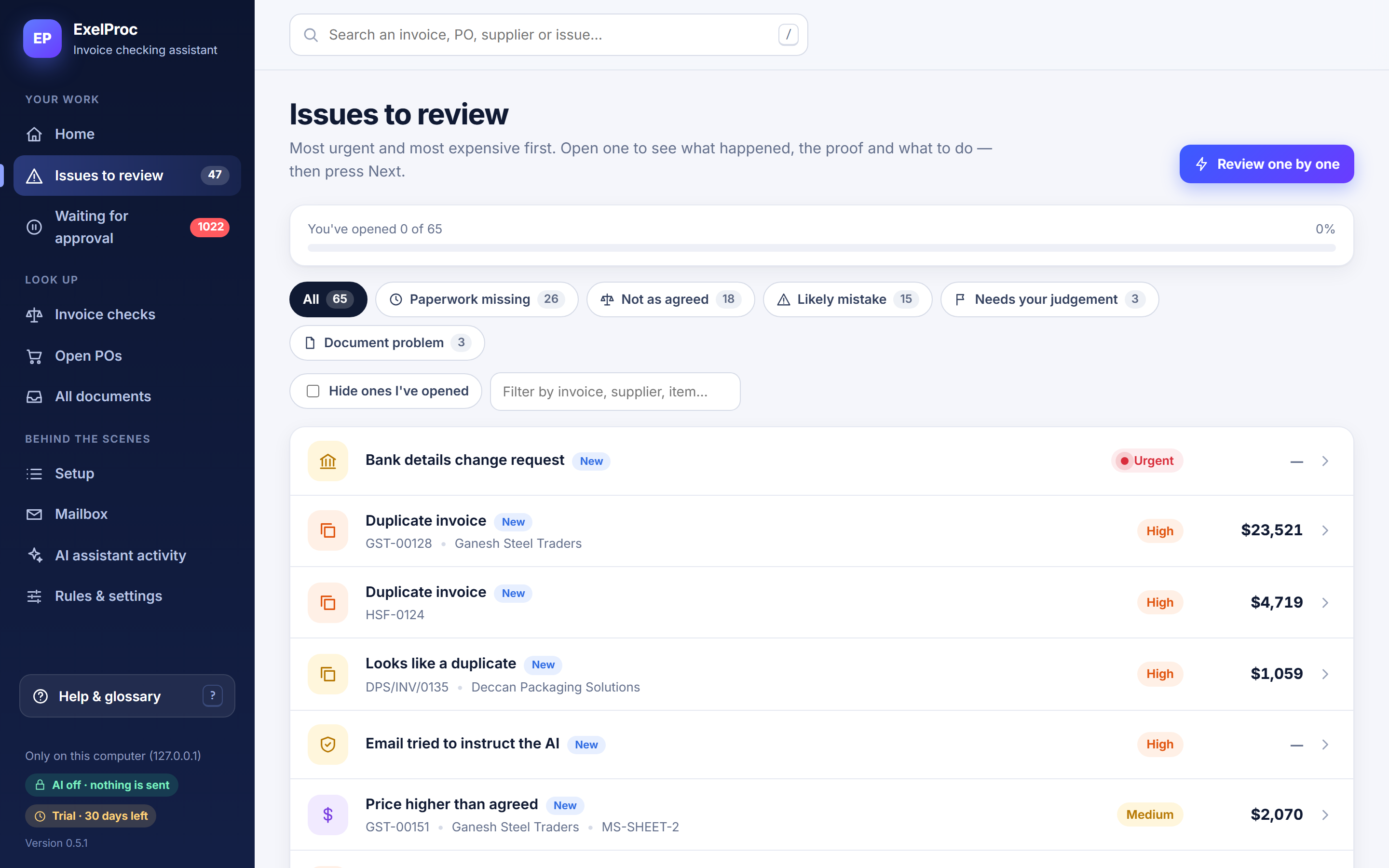
At roughly eight minutes per manual three-way check, checking every invoice isn’t realistic. ExelProc does the comparison; AP reviews the exceptions, one at a time, with the proof and next step in front of them.
- “Review one by one” walks through issues in priority order
- What happened, how much, how it was worked out, and what to do
- Supplier email drafts prepared for approval; you send them
Outcomes
Measure it on your invoices.
The numbers that matter are your own. These are the ones a trial measures.
- 01Invoices checkedShare of supplier invoices checked against order and receipt.—
- 02Matched automaticallyShare that matched with nothing for a person to do.—
- 03Exceptions identifiedCount by category, owner team and supplier.—
- 04Time per invoiceMinutes of people’s time, before and after.—
- 05Disputed amount investigatedMoney at stake reviewed, and how much was recovered or credited.—
- 06Time to resolutionDays from detection to a closed case.—
Does it replace our ERP?
No. It’s an independent check on supplier invoices that sits alongside your ERP.
How are payment holds calculated?
By the rules above, set to your policy. The calculation is shown on every case.
How can we export the audit trail?
As CSV. It covers approvals, sign-ins, rule changes and case decisions.
Stop checking invoices blindly.
See how ExelProc connects the order, the receipt and the invoice—and proves where the numbers differ.